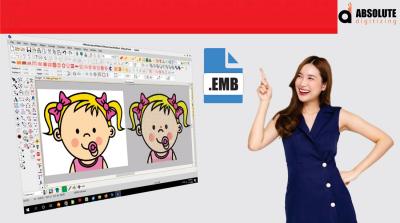
EMB File for Embroidery
Introduction
If you’ve ever worked with embroidery designs, you’ve probably come across different file formats like DST, PES, HUS, or EXP. But one format often causes confusion for beginners—the EMB file.
At first glance, it may seem like just another embroidery file. But in reality, an
EMB File For Embroidery is much more important than many people realize.
Think of it like the “master blueprint” of an embroidery design. While machine files are built for stitching, EMB files are built for editing, flexibility, and long-term design control.
Understanding EMB files can help embroidery businesses, digitizers, and hobbyists save time, improve workflow, and make future design changes much easier.
In this guide, we’ll break down what EMB files are, how they work, and why they play such a major role in embroidery digitizing.
What Is an EMB File for Embroidery?
An EMB file is an editable embroidery design file used in embroidery digitizing software.
Unlike machine-ready formats, EMB files store detailed embroidery information such as:
Stitch settings
Design layers
Thread colors
Object properties
Underlay settings
Density adjustments
This makes EMB files extremely useful for editing and modifying embroidery designs later.
Why EMB Files Matter in Embroidery
EMB Files Preserve Editing Options
Machine embroidery files like DST or PES mainly contain stitch instructions for embroidery machines.
But EMB files keep the editable design structure intact.
That means digitizers can easily:
Resize elements
Adjust density
Change lettering
Edit stitch angles
Modify thread colors
Without losing important design information.
Easier Design Revisions
Imagine creating a company logo for embroidery and later needing:
A smaller version for hats
A larger version for jackets
Color changes for uniforms
An EMB file makes these edits much easier compared to rebuilding the design from scratch.
Difference Between EMB Files and Machine Files
EMB Files Are Editable
An EMB file acts like a working project file.
It stores detailed object information instead of only final stitch data.
Machine Files Are Production Files
Formats like:
DST
PES
EXP
HUS
are designed mainly for embroidery machines.
These files are optimized for stitching but offer limited editing flexibility.
Benefits of Using EMB Files
Better Long-Term Workflow
Keeping EMB files organized helps embroidery businesses save time on future edits and customer revisions.
This becomes especially valuable for:
Corporate branding
Uniform orders
Repeat customers
Bulk production
Improved Design Control
EMB files allow digitizers to fine-tune embroidery settings more precisely.
This helps improve:
Stitch quality
Density balance
Underlay structure
Fabric compatibility
At Absolute Digitizing, professionally managed embroidery files help businesses maintain cleaner and production-ready embroidery designs.
Common Uses of EMB Files
Logo Embroidery
Businesses often save logos in EMB format for future editing and resizing.
This helps maintain brand consistency across different garments.
Patch Designs
Patch embroidery may require multiple adjustments during production.
EMB files simplify:
Border changes
Density edits
Size modifications
Custom Apparel
Fashion brands often use editable embroidery files for ongoing design updates and seasonal collections.
Why EMB Files Are Important for Professional Digitizing
Professional Editing Flexibility
Good embroidery digitizing is not just about creating stitches.
It also involves:
Testing
Adjustments
Fabric optimization
Production improvements
EMB files make these refinements possible.
Faster Revision Process
Customers often request small design changes.
Having an editable EMB file speeds up revisions and reduces production delays.
Common Problems Without EMB Files
Difficult Design Changes
Without an editable EMB file, digitizers may need to recreate embroidery designs manually.
This can:
Waste time
Increase costs
Delay production
Lower Design Flexibility
Machine files alone provide limited control over:
Stitch angles
Density
Object editing
This makes future modifications harder.
How EMB Files Improve Embroidery Quality
Better Density Management
Density plays a major role in embroidery appearance and machine performance.
EMB files allow digitizers to optimize stitch density based on:
Fabric type
Design size
Garment structure
Improved Stitch Sequencing
Professional editing improves stitch order and machine efficiency.
This helps reduce:
Thread breaks
Excessive trims
Production interruptions
Tips for Managing EMB Files
Keep Backup Copies
Always store original EMB files safely.
This protects designs from accidental loss and simplifies future revisions.
Organize Files Clearly
Use proper file naming systems for:
Customers
Logos
Design versions
Production dates
Good organization improves workflow efficiency.
Save Final Machine Formats Separately
Keep editable EMB files separate from machine-ready files like DST or PES.
This avoids confusion during production.
Why Businesses Prefer Editable Embroidery Files
Businesses often handle:
Reorders
Uniform updates
Seasonal branding
Promotional campaigns
Editable EMB files make these changes easier and more efficient.
At Absolute Digitizing, professional embroidery digitizing services help businesses maintain editable, organized, and production-friendly embroidery files for smoother workflows.
Best Practices for Embroidery File Management
Test Designs Before Production
Even with clean EMB files, testing remains important.
Sample stitching helps identify:
Density issues
Alignment problems
Fabric distortion
Use High-Quality Artwork
Better artwork leads to cleaner embroidery digitizing and more accurate embroidery files.
Work With Experienced Digitizers
Experienced professionals understand how to optimize embroidery designs for different materials and production environments.
Conclusion
An EMB file for embroidery is much more than just another file format. It acts as the editable foundation of professional embroidery digitizing.
Unlike machine-ready files, EMB files preserve important design details that allow future editing, resizing, and production improvements.
For embroidery businesses, designers, and digitizers, maintaining editable EMB files improves:
Workflow efficiency
Design flexibility
Production quality
Long-term file management
And with professional support from Absolute Digitizing, businesses can create cleaner, better-organized, and production-ready embroidery files for smoother embroidery operations.
FAQs
What is an EMB file in embroidery?
An EMB file is an editable embroidery design file used in embroidery digitizing software.
Can embroidery machines read EMB files directly?
Usually, EMB files must first be converted into machine-readable formats like DST or PES.
Why are EMB files important?
EMB files preserve editable design information, making future revisions and resizing much easier.
What is the difference between EMB and DST files?
EMB files are editable project files, while DST files mainly contain stitch instructions for embroidery machines.
Should embroidery businesses save EMB files?
Yes. Keeping EMB files helps simplify revisions, reorders, and future embroidery design updates.